Showing posts with label Bootstrap Admin Template. Show all posts

Sunday, January 5, 2025

Integrated Master Dashboard – Take Control of Your Business


Managing different aspects of a business has become more challenging as companies aim to stay competitive in today’s fast-paced digital world. From tracking sales and customer interactions to handling data and day-to-day operations, businesses need efficient solutions to keep everything in order. This is where an Integrated Master dashboard  becomes a game-changer. A Master Dashboard, combining several specialized dashboards, offers a comprehensive view of all business activities, making it easier for decision-makers to monitor and manage key operations. Whether it's CRM, E-commerce, Sales, Medical, or other sectors, the Admin Dashboard acts as a central hub that enables businesses to make real-time, informed decisions.

Introduction: Why Admin Dashboards Are Essential

An Admin Dashboard UI isn’t just another tool; it’s a crucial part of modern business management. With different departments and teams handling various tasks, keeping track of key metrics and performance is vital. A Master Dashboard provides a single platform to manage all these areas at once, offering a clear view of important data in real-time.

For example, a company handling E-commerce, CRM, and sales can greatly benefit from a combined UI Dashboard that brings all their tasks into one easy-to-use space. The power of an Admin Dashboard UI is its ability to merge different business operations into a simple, visual interface, which not only saves time but also boosts productivity.

These dashboards are especially helpful when businesses need to manage a range of functions—from customer service to financial investments. By bringing everything together in a Bootstrap Admin Panel, businesses can streamline daily tasks and focus on growth and decision-making.

Benefits of an Admin Dashboard

1. Centralized Data Management:

A major benefit of using a Bootstrap Admin Theme is the ability to bring together data from different business areas like CRM, Sales, Medical, and E-commerce in one place. This unified dashboard reduces errors and helps businesses make better decisions.

2. Real-time Monitoring:

The Admin Dashboard UI allows businesses to access real-time updates about key metrics. Whether tracking sales, customer support tickets, or even market trends in the crypto world, the ability to view live data lets companies act quickly to address changes.

3. Data Visualization:

The Admin Dashboard UI turns complex data into simple charts, graphs, and tables, making it easier to understand. Whether it’s about tracking trends in real estate or reviewing investment performance, a well-designed Bootstrap Admin Template helps businesses identify areas for improvement and make smarter decisions.

4. Improved Collaboration:

Admin dashboards break down barriers between departments. Teams in areas like HR, sales, or healthcare can work better together by having a shared view of important data, which helps boost communication and collaboration.

5. User-friendly Interface:

With a Bootstrap Admin Panel, businesses can provide a simple, intuitive interface that anyone can use, regardless of technical skills. Whether you are managing a Restaurant Dashboard for orders or a Travel Dashboard for bookings, the easy-to-navigate layout helps users focus on their tasks efficiently.

6. Customization:

One of the standout features of a Bootstrap Admin Theme is that it’s customizable. Businesses can adjust the dashboard’s layout and features to fit their specific needs. For example, a Jobs Dashboard might include tools for managing job posts and applicants, while a Law Firm Dashboard could have tools for case management and client communication.

7. Enhanced Security:

Admin Dashboards often come with security features that protect sensitive business data. By setting up strict access controls, businesses can ensure that only authorized people can view or modify specific data, keeping operations safe from security threats.


Monday, December 30, 2024

Bootstrap Admin Template – Ready-made Admin Dashboard UI Deign


The CRMX Admin - Bootstrap Admin Template is a highly versatile, high-performance solution that offers a vast range of features and benefits. Whether you’re running an e-commerce platform, managing a hospital, overseeing a banking system, or even tracking cab bookings, CRMX is a powerful tool built for today’s tech-driven world. This content will explore the importance of CRMX, the benefits of its admin dashboard UI, the process of web development with CRMX, why it's the best choice for developers and business owners, and how you can contact us to learn more.

1. Importance of CRMX Bootstrap Admin Template

In today’s digital landscape, the importance of an efficient Master Dashboard cannot be overstated. A well-designed admin panel acts as the control center of any system, allowing businesses to easily manage data, perform analytics, and monitor performance. The CRMX Bootstrap Admin Template stands out because of its robustness, flexibility, and user-centric design. Powered by the Bootstrap 5 Framework, CRMX offers a solid foundation with numerous ready-to-use components that save both time and resources.

A. Scalability and Flexibility

The CRMX Bootstrap Admin Template is not just any generic admin dashboard template – it is designed to adapt to a wide range of industries and use cases. From CRM to e-commerce, analytics, hospitals, banking, and cab booking, CRMX comes with prebuilt components and modules that suit any business’s needs. This scalability ensures that businesses can manage and analyze their operations effectively.

B. Built on Bootstrap 5 Framework

The core of CRMX is built on the Bootstrap 5 Framework, which is a powerful, responsive, and mobile-first framework. The benefits of using Bootstrap 5 are immense, including faster loading times, ease of customization, and compatibility across all devices. Bootstrap 5’s improvements over previous versions include better grid systems, optimized utilities, and enhanced documentation. By leveraging this framework, CRMX ensures that it delivers top-tier performance and flexibility to businesses of all sizes.

C. User-Centric Design

One of the most important aspects of CRMX is its focus on user experience (UX). With a clean, intuitive, and easy-to-navigate layout, businesses can ensure that their staff or end users can access critical data and functionalities without confusion. The CRMX dashboard is designed to be a one-stop hub for managing all aspects of an application, helping businesses improve productivity and streamline their operations.

2. Benefits of Our Admin Dashboard UI

The CRMX Admin Dashboard UI is the epitome of modern design, offering a multitude of benefits for both users and developers. Let’s explore why the UI of CRMX is highly praised and how it adds value to businesses.

A. Responsive Design

With mobile-first and cross-device functionality, CRMX ensures that businesses can manage their systems from any device—whether it's a desktop, tablet, or smartphone. This responsiveness is crucial for modern businesses that require access to their data on the go. No matter what the screen size is, the CRMX dashboard ensures that it adapts seamlessly to provide an optimal user experience.

B. Customization and Themes

CRMX comes with multiple pre-designed themes that give businesses the freedom to personalize their dashboard interface. Customization is key when it comes to branding and aligning the Admin Dashboard UI with company colors, logos, and other design elements. The flexibility to tweak components, colors, and layout ensures that each business can create a dashboard that suits its specific needs while maintaining a sleek and professional look.

C. Pre-Built Widgets and Components

The template comes with a variety of pre-built components, including charts, tables, notification bars, and more. These widgets are essential for simplifying data presentation, improving communication, and enhancing the decision-making process. By incorporating these components, businesses can quickly generate insights and track performance metrics without needing to build each feature from scratch.

D. User Management and Permissions

Effective user management is essential for any Master Dashboard, and CRMX offers comprehensive features for role-based access control (RBAC). This ensures that different user roles (admin, manager, user, etc.) have the appropriate level of access to data and features. The intuitive UI for managing user permissions simplifies security and data privacy protocols, making it easier to maintain safe and efficient operations.

3. Process of Web Development with Our Ultra Technical Admin Dashboard

Developing a website or application with CRMX is straightforward, thanks to its ultra-technical design and seamless integration. Below is a step-by-step guide on how developers can utilize CRMX to build high-quality, scalable applications.

A. Step 1: Choose the Right Theme

CRMX offers a variety of themes suitable for different business types. From CRM, e-commerce, and analytics dashboards to more specialized options like hospital management and banking, selecting the right theme is the first step. Once you’ve chosen a theme, it can be customized to fit your project requirements.

B. Step 2: Customize Your Dashboard

Using the Bootstrap 5 framework, developers can easily customize CRMX’s default components. Whether it’s adjusting the layout, adding specific widgets, or creating personalized features, the high level of customization options ensures that developers can tweak every aspect of the Dashboard UI to meet project specifications.

C. Step 3: Integrate Backend Data

Once the frontend design is ready, integrating backend data with CRMX is a smooth process. Thanks to its modular structure, CRMX allows developers to easily integrate APIs and databases to populate the dashboard with live data. Whether you’re working with an e-commerce database, hospital records, banking transactions, or analytics data, CRMX facilitates seamless integration with minimal effort.

D. Step 4: Testing and Optimization

Before launching your web application, testing is essential to ensure functionality and performance. With CRMX, developers can take advantage of the pre-built testing modules to check for bugs and optimize the performance of their dashboard. Its high-performance architecture means your web application will load faster and operate smoothly even under heavy traffic conditions.

E. Step 5: Deployment

After thorough testing and optimization, developers can deploy the final product to a live environment. CRMX’s compatibility with popular hosting providers ensures a hassle-free deployment process. Once the site is live, you can monitor and manage your project through the dashboard, making necessary adjustments as needed.

4. Why We Are Better

When it comes to admin dashboard templates, CRMX stands head and shoulders above the competition. Here are the reasons why CRMX is the best choice for developers and businesses:

A. Built for Various Industries

CRMX is not limited to a single use case; it is designed to cater to multiple industries. Whether you're in healthcare, finance, transportation, or e-commerce, CRMX provides tailored solutions for your specific needs. This versatility makes it the perfect tool for a wide range of business applications.

B. Continuous Updates and Support

We prioritize customer satisfaction, and that’s why we offer continuous updates for CRMX to ensure compatibility with the latest web technologies. Additionally, our dedicated support team is always ready to assist you with any technical issues or customization queries.

C. Seamless Integration

CRMX makes integration a breeze. Whether you’re using third-party services, APIs, or databases, CRMX's modular structure ensures smooth integration with minimal coding. The pre-built components reduce the development time significantly, allowing businesses to launch their websites quickly and efficiently.

D. High Performance

The high-performance architecture of CRMX ensures that your UI Dashboard runs smoothly and efficiently. Built on the Bootstrap 5 framework, CRMX is optimized for fast loading speeds and seamless user interaction, even with large datasets.

E. User Experience

From its sleek design to its intuitive navigation, CRMX is built with the end-user in mind. A great admin dashboard must be easy to use, and CRMX delivers on this promise with its clean, modern interface that simplifies data management and decision-making processes.

5. Contact Us

We understand that choosing the right admin template for your project is a crucial decision, and we are here to help you make the best choice. Whether you have questions about the CRMX Bootstrap Admin Template, need assistance with implementation, or require customized features for your business, our team is ready to assist.

Get in touch with us today to learn more about how CRMX can transform your web development experience.

Feel free to reach out, and let us help you take your business to the next level with our ultra-technical and high-performance CRMX Bootstrap Admin Template.

In conclusion, the CRMX Admin Template is a game-changer for web developers and business owners alike. With its powerful features, modern design, and versatility, CRMX offers an unmatched solution for managing and analyzing business data. Whether you’re building an e-commerce platform, a hospital management system, or a cab booking dashboard, CRMX is the perfect choice for your admin panel needs.


Tuesday, December 24, 2024

Bootstrap Admin Template – Developing Complex Progressive Web App


Bootstrap Admin Template have become an integral part of web applications and websites. Whether for managing content, monitoring performance, or tracking business metrics, admin templates provide an organized way to interact with complex data. One of the most popular frameworks for developing admin dashboards is Bootstrap, an open-source front-end framework. Its flexibility, scalability, and ease of use have made it a go-to choice for developers.

Our Bootstrap Admin Template comes with a powerful set of features, including seven analytics dashboards and three CRM dashboards, all built with the latest Bootstrap 5 framework. In this article, we will delve into the importance of Bootstrap admin templates, explore the benefits of our master dashboard, discuss the web development process with our Bootstrap admin template, and explain why we stand out in the competitive market.

1. Importance of Bootstrap Admin Template

Admin templates serve as the backbone of modern web applications, providing users with a structured and functional interface to interact with data. In any web application, especially those dealing with large amounts of information or business operations, managing the backend is just as crucial as the frontend. Here's why a Bootstrap Admin Template is important:

a. Consistency and Efficiency

Bootstrap provides a consistent design system that ensures your Master Dashboard looks polished and professional across all devices. The admin template built on Bootstrap follows this system, which results in a responsive layout, intuitive user interface, and easy-to-use components. By leveraging Bootstrap, you avoid having to create these elements from scratch.

b. Time-Saving

For web developers, time is a precious resource. A pre-built Bootstrap Admin Template like ours saves a significant amount of time during the development process. Instead of building every feature from the ground up, developers can use the template’s pre-built features, like navigation menus, charts, and tables, which speeds up development without compromising on quality.

c. Mobile Responsiveness

In today’s mobile-first world, ensuring that your admin panel works flawlessly on mobile devices is crucial. Bootstrap’s grid system allows developers to create responsive layouts with minimal effort, ensuring your dashboard will look great on screens of all sizes—whether it’s a desktop, tablet, or smartphone.

d. Customization Flexibility

While WebApp Template come with a set of predefined elements, they also offer ample room for customization. Developers can easily modify or extend the templates to meet the specific needs of their project. From changing the color scheme to adding new widgets, Bootstrap admin templates allow easy modification to align with the brand’s identity.

e. Built-In Components and Widgets

Bootstrap is known for its comprehensive library of UI components. From buttons and cards to forms and modals, everything you need to create an admin dashboard is available. Bootstrap 5 offers enhanced features like improved grid layouts, native custom form controls, and additional utilities, all of which help in developing complex admin dashboards.

2. Benefits of Our Master Dashboard

Our Master Dashboard, built with the latest Bootstrap 5 framework, offers a comprehensive solution for managing and monitoring all aspects of your application or business. It is packed with features to ensure an efficient and productive experience for both administrators and end-users. Here are some of the key benefits:

a. Comprehensive Analytics Dashboards

Our dashboard offers seven analytics UI Dashboard, each tailored for specific use cases. Whether you’re tracking user engagement, sales data, traffic patterns, or marketing performance, these dashboards are designed to give you valuable insights at a glance.

  • Real-Time Data: The analytics dashboards provide real-time data, allowing you to make informed decisions quickly.
  • Advanced Charts and Graphs: With rich charts, graphs, and tables, the dashboard transforms raw data into digestible, visual representations.
  • Customizable Widgets: You can add, remove, or customize widgets to suit your specific needs.

b. CRM Dashboards for Customer Relationship Management

Our three CRM dashboards are designed to help businesses track and improve their customer relationships. The dashboards offer valuable insights that assist in managing leads, tracking sales pipelines, and improving customer satisfaction.

  • Lead Management: Easily track the status of leads and opportunities with detailed reports and timelines.
  • Customer Interactions: Monitor customer interactions, allowing your team to provide more personalized service.
  • Task and Activity Tracking: Keep an eye on sales activities, ensuring that important tasks are completed on time.

c. User-Friendly Interface

One of the core principles of our Dashboard UI is its user-friendly interface. Thanks to Bootstrap 5’s sleek and intuitive design, the dashboard is easy to navigate, even for non-technical users. The layout is structured logically, allowing users to access the information they need without confusion.

d. Customization and Scalability

Our Master Dashboard is not just functional but also highly customizable. You can change the design, add new features, or tweak existing ones to better fit your business requirements. Whether you need to add a new widget or adjust the layout for specific devices, the template allows easy modifications. Plus, the modular structure of the dashboard makes it scalable, meaning it can grow as your business or application does.

e. Optimized Performance

Our Admin Dashboard UI is optimized for performance. It’s lightweight, ensuring fast loading times, even when dealing with large datasets. Bootstrap’s modular design helps ensure that only necessary resources are loaded, keeping the page load time to a minimum.

3. Web Development Process with Our Bootstrap Admin Template

The web development process can be complex, especially when building an admin dashboard that requires features like analytics, CRM tools, and real-time data tracking. Our Bootstrap Admin Template simplifies this process and makes it more efficient.

a. Step 1: Planning and Requirement Gathering

The first step is to clearly define the project’s goals and understand the requirements. This involves determining the key metrics you want to track, understanding user roles (admin, manager, user), and identifying the features you need, such as the analytics dashboards, CRM tools, or data visualizations.

b. Step 2: Designing the User Interface

Once the requirements are set, the next step is designing the user interface. The UI design ensures the user experience (UX) is smooth and intuitive. Thanks to Bootstrap 5, developers have access to a modern, responsive grid system that adapts to any device, ensuring a seamless experience across desktops, tablets, and smartphones.

Our template provides pre-designed pages, including dashboards, login screens, and user management, allowing you to build a professional-looking admin panel without the hassle of custom design.

c. Step 3: Setting Up the Template

After the design phase, the next step is integrating the Bootstrap Admin Template into the project. This is where the real development begins. You can begin customizing the provided template, adding your desired components, and incorporating data into the analytics and CRM dashboards.

Our Admin Dashboard UI includes built-in components like charts, tables, forms, and modals, which can be configured to fetch data dynamically and be used in the backend of your web application. The template also includes pre-configured JavaScript and jQuery components for handling events and interactions.

d. Step 4: Data Integration

Once the design and layout are ready, the next step is integrating the data. Whether you are pulling data from a database or external API, you can configure the dashboard to fetch and display data dynamically. The analytics and CRM dashboards will be connected to your backend systems, allowing the data to update in real-time.

e. Step 5: Testing and Optimization

Testing is a critical part of the development process. Our Bootstrap Admin Template is built with cross-browser compatibility in mind, so it works seamlessly on different browsers (Chrome, Firefox, Safari, etc.). You can test the template on various screen sizes and devices to ensure its responsiveness.

Performance testing is another crucial aspect. The template is optimized to handle large datasets without compromising speed or performance. Developers can use tools like Google Page Speed Insights or Lighthouse to test and improve performance.

f. Step 6: Deployment and Maintenance

Once everything is in place and tested, it’s time to deploy the application to a live environment. Our Bootstrap Admin Template ensures that deployment is smooth, whether you’re using shared hosting, VPS, or cloud services. Post-launch, you can continue to make updates and improvements as needed, thanks to the template’s scalability.

4. Why We Are Better?

In a competitive market filled with various Bootstrap admin templates, what makes our Bootstrap Admin Panel stand out? Here are a few reasons why we are the best choice for your project:

a. Built with Latest Bootstrap 5

We’ve used the latest version of Bootstrap (Bootstrap 5), which comes with new features like custom form controls, enhanced grid systems, and improved utilities. This ensures the template is future-proof and delivers an outstanding user experience.

b. Fully Responsive and Customizable

Our Dashboard Template is fully responsive and adaptable to any screen size, providing a seamless experience on desktop, tablet, and mobile devices. Plus, it’s highly customizable, allowing you to tailor it to your specific business needs.

c. Pre-Built Dashboards

We’ve included seven powerful analytics dashboards and three CRM dashboards, offering a comprehensive suite of tools to help businesses track performance and customer data effectively. The dashboards are easy to use and packed with features to boost productivity.

d. Optimized for Performance

Our Bootstrap Admin Theme is optimized for high performance, ensuring quick load times even with large datasets. This makes it suitable for high-traffic web applications and enterprise solutions.

e. Detailed Documentation and Support

We provide detailed documentation, ensuring that developers can easily understand how to use and customize the template. Plus, our dedicated support team is always ready to assist you with any questions or issues you may have.

5. Contact Us

If you are looking for a high-quality Bootstrap Admin Template to power your web application, look no further. Our master dashboard comes packed with all the features you need, from analytics tools to CRM dashboards, all built on the latest Bootstrap 5 framework.


Monday, December 16, 2024

Master Dashboard – Your Complete Overview of Business Metrics


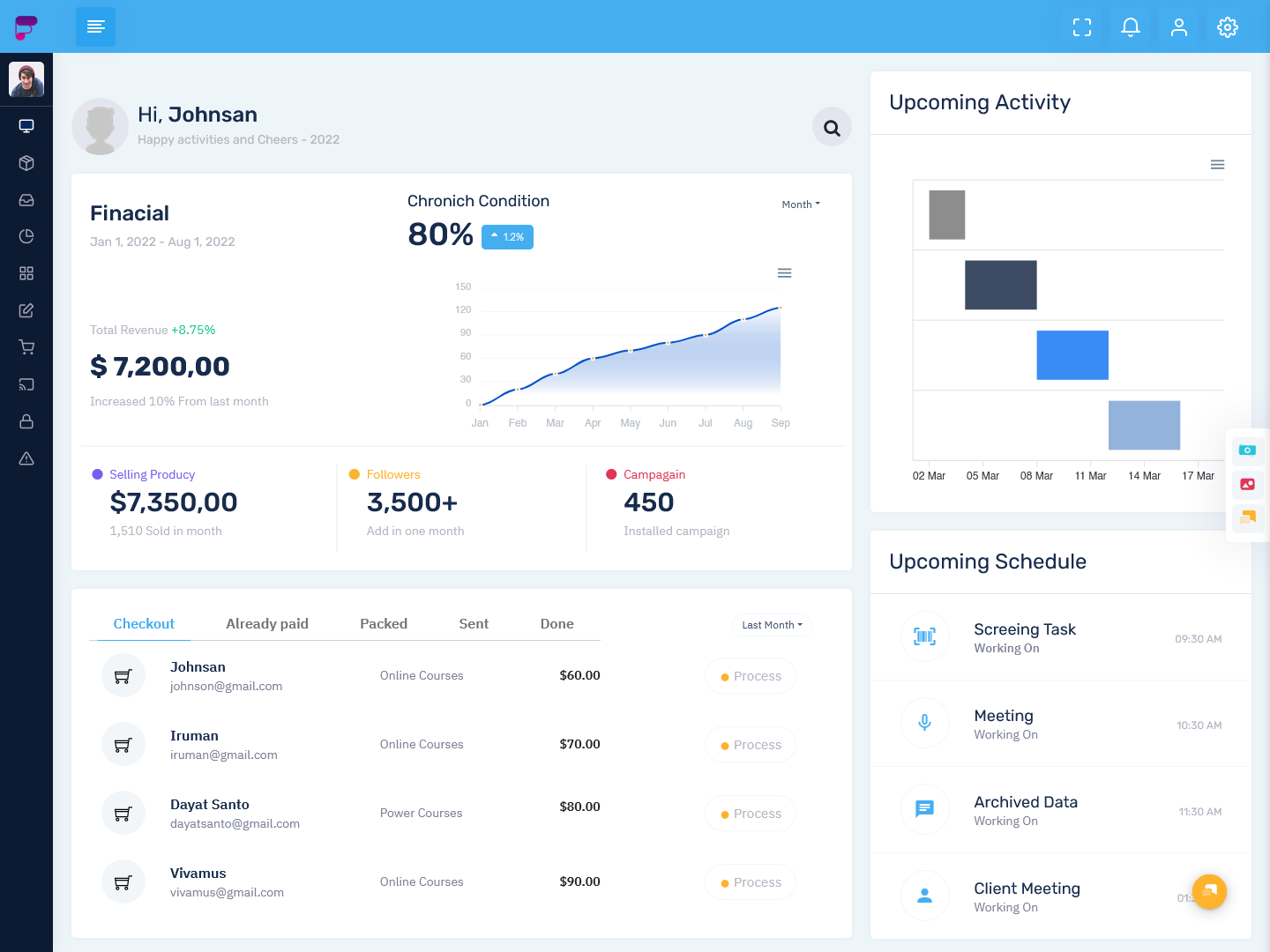
The Master Dashboard is a helpful tool that gives you a clear view of your business's important metrics in real-time. Whether you’re tracking sales, revenue, or pending orders, this Admin Dashboard UI helps you stay on top of everything. It’s designed to be simple and easy to use, with a clean layout and responsive design, thanks to the latest Bootstrap Admin Panel technology. With features like Sales Today, Visitors Today, Total Earnings, and Revenue Overview, this dashboard provides all the information you need to make quick and informed decisions.

What is this admin template about?

The Master Dashboard is a comprehensive tool that provides a detailed view of your business performance. It includes essential features such as Sales Overview, Company Revenue, and Pending Orders, all displayed in an easy-to-navigate format. This Admin Dashboard UI is ideal for businesses looking to track and manage their key metrics in one place.

Key Features of the Dashboard UI

- Sales Today: Instantly see how your sales are performing today, with real-time updates that keep you informed throughout the day.

- Visitors Today: Monitor website traffic and the number of visitors today, helping you track engagement and plan marketing efforts.

- Total Earnings: View your total earnings in a clean and straightforward format, ensuring you stay on top of your business's financial health.

- Pending Orders: Easily track orders that are yet to be fulfilled, ensuring you stay on top of customer demands and improve your order management.

- Email Campaign: Keep track of your email marketing campaigns, helping you measure their impact and optimize for better results.

- Monthly Income & Revenue: Get a quick glance at your monthly income and overall revenue, which helps you understand your business's financial trends.

- Company Revenue: View a breakdown of your company’s revenue to understand where your profits are coming from and identify growth opportunities.

- Revenue Overview: A complete overview of your company’s revenue streams, helping you make informed business decisions.

- Sales Overview: Track the overall sales performance of your business, offering insights into growth and areas needing attention.

- Report: Generate detailed reports that allow you to analyze your business data over time and make data-driven decisions.

For Whom is this Admin Template for?

The Master Dashboard is perfect for business owners, managers, and administrators who need to track and monitor their company’s performance. If you’re responsible for sales, marketing, or financial reporting, this Dashboard UI will help you stay on top of everything. It’s especially useful for e-commerce businesses, retail managers, or anyone in charge of handling orders and customer interactions.

Which Companies Can Benefit from this Admin Template?

This Admin Dashboard UI is ideal for companies in various industries, including e-commerce, retail, tech, and marketing. If you run a business that relies on tracking sales, customer interactions, or revenue generation, this Bootstrap Admin Panel will give you a clear and organized overview of your performance. It’s particularly beneficial for companies with large volumes of data that need to be streamlined for better decision-making.

Conclusion

Don’t miss out on the opportunity to optimize your business management with the Master Dashboard. This Master Dashboard is a powerful tool that provides a comprehensive overview of your business metrics in real-time. With its intuitive layout, responsive design, and key features like Sales Overview, Revenue, and Pending Orders, this template is the perfect solution for businesses looking to stay organized and make informed decisions. Buy now and unlock the potential of your business with this all-in-one dashboard solution!

Tuesday, July 30, 2024

Modern Admin Dashboards: Features, Benefits, and Best Practices


Admin Dashboards have become essential tools for managing web applications and internal systems. As web apps grow more complex with additional features and larger user bases, having an intuitive, information-rich admin interface is crucial. Modern admin dashboards provide a central hub to monitor and control all aspects of an application.

An Responsive Admin Templates typically consists of pages and widgets for viewing analytics, managing content, monitoring systems, and configuring settings. The dashboard allows admins to get high-level overviews as well as drill down into granular data. Well-designed dashboards are optimized for comprehending complex data at a glance. Such Webapps have a higher chance of becoming successful.

Key Features of Modern Admin Dashboards

Modern admin dashboards include a variety of features to help streamline workflows:

  • Customizable layouts and widgets – A WebApp Templates allow admins to arrange widgets and tailor layouts to their preferences. Drag-and-drop interfaces make it simple to organize data.
  • Responsive designs - With many admins accessing dashboards on mobile devices, responsive designs are essential, automatically optimizing layouts for any screen size.
  • Real-time data and updates - Instant data updates enable admins to monitor live analytics and user activity as it happens. Real-time tracking fosters quicker reactions.
  • Interactive visualizations - Charts, graphs, and gauges allow complex data to be grasped easier through visual representations. Interactive elements help highlight key trends.
  • Notifications and alerts - Proactive alerts for technical issues, traffic changes, user reports, and more allow admins to respond to problems faster.
  • Role-based access control (RBAC) - By limiting access for various user roles, RBAC enables secure collaboration between admins, editors, and guest users.
  • API integrations - Integrating with third-party APIs makes it possible to pull relevant data from external platforms into the dashboard for consolidated analytics.
  • Custom branding - To align with company branding, dashboards allow elements like color schemes, logos, and themes to be customized.


Wednesday, February 14, 2024

Amazing Dashboard Design of Fox Bootstrap 5 Admin Template


Understanding Bootstrap 5 Admin Template

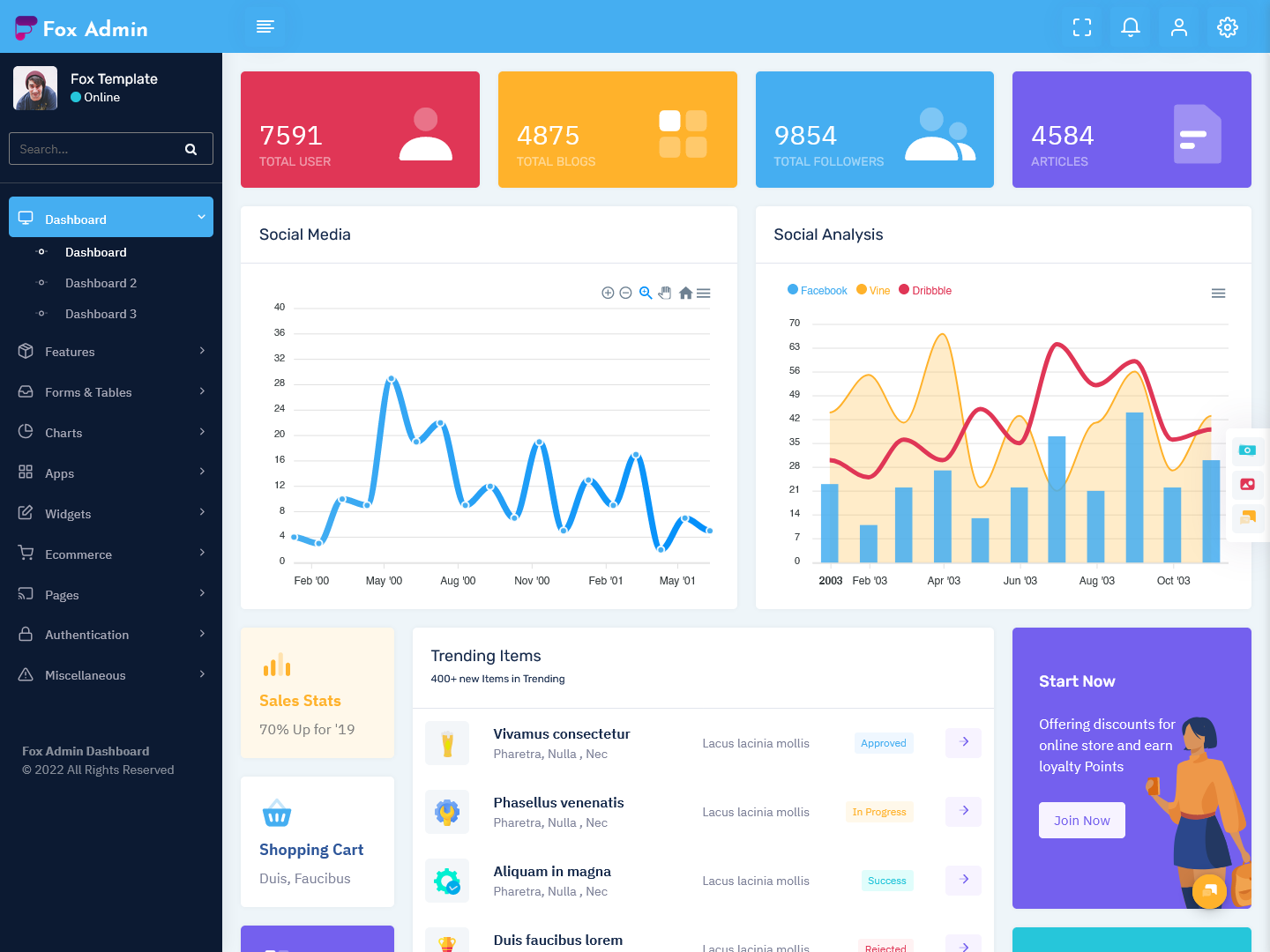
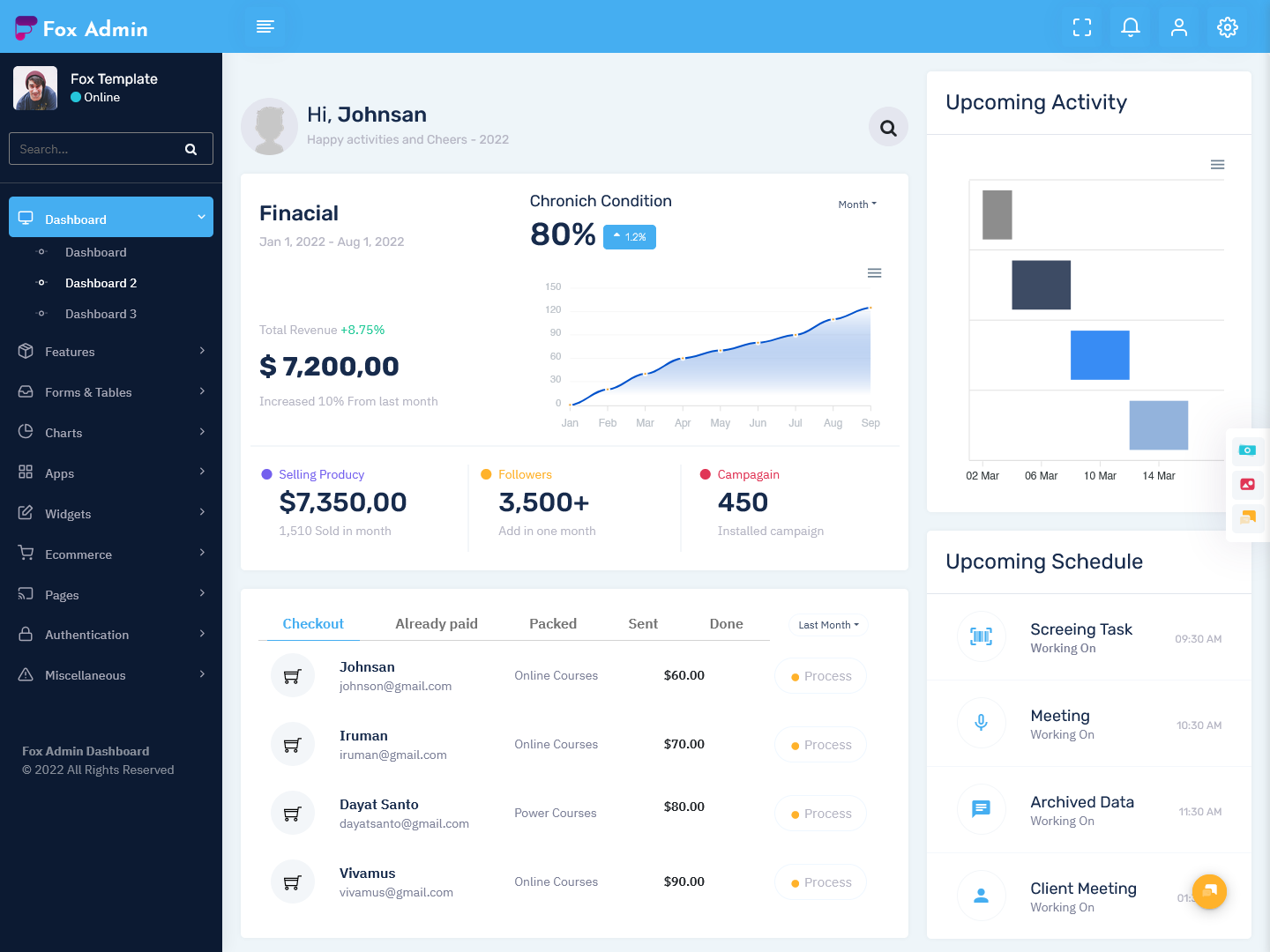
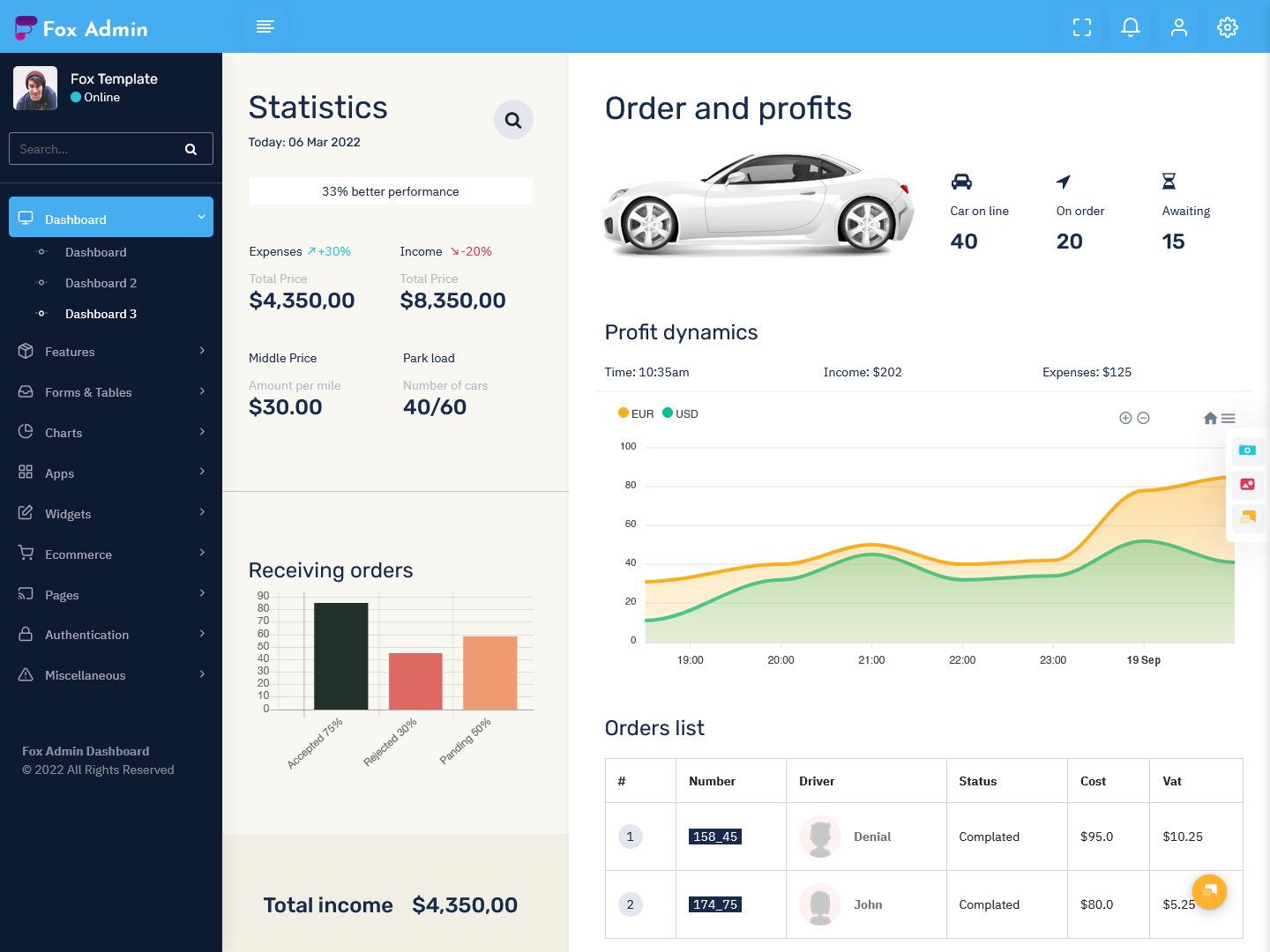
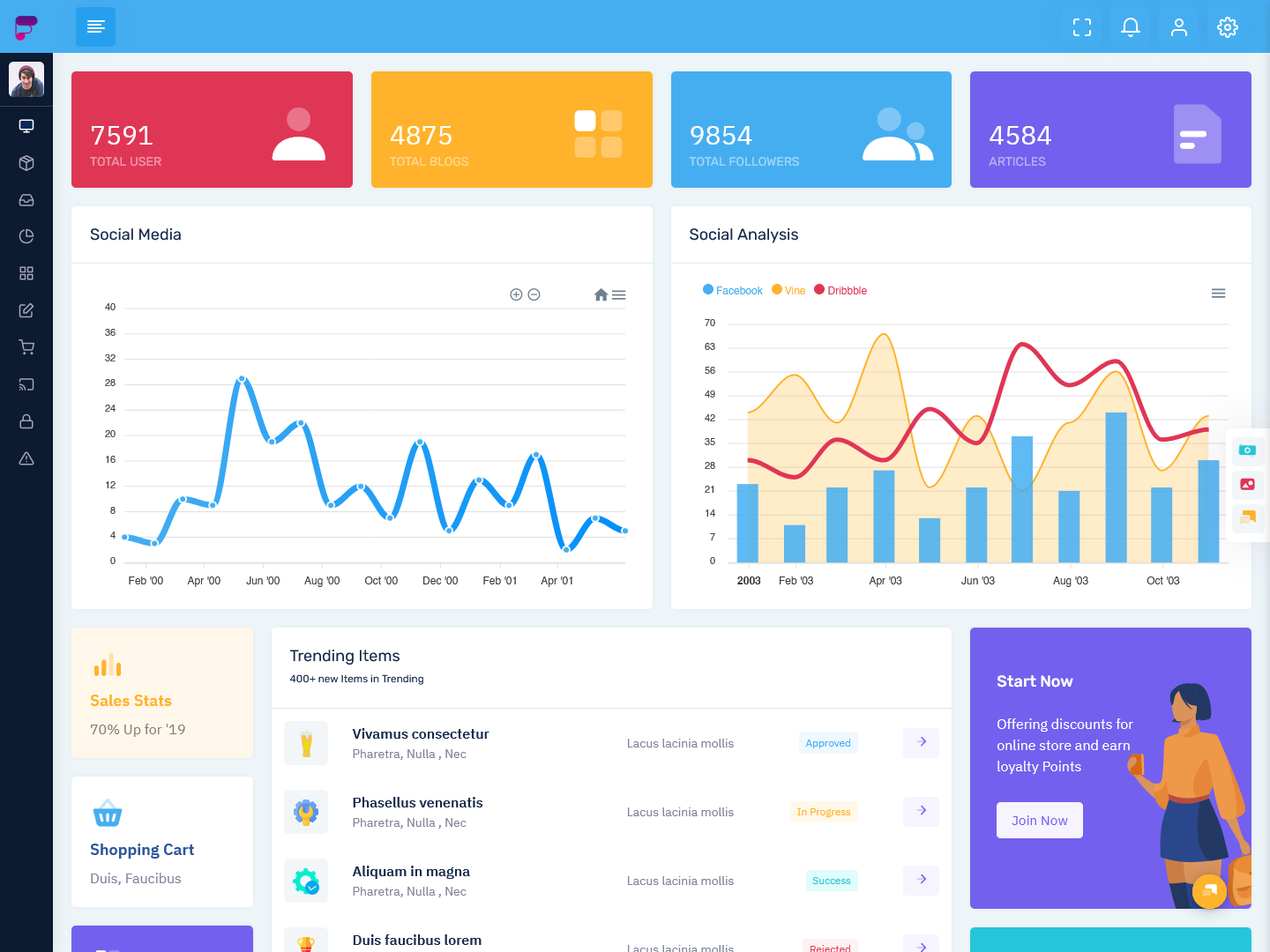
Fox Admin - Bootstrap 5 Admin Template is a versatile and powerful tool designed to streamline the process of building user interfaces for web applications. With its intuitive design and robust features, this template offers developers a seamless experience in creating responsive and visually appealing admin dashboards.

Fox Admin - Vertical Bootstrap 5 Dashboard

Dashboard - 1

Dashboard Design


Dashboard - 2

Dashboard Design


Dashboard - 3

Dashboard Design


Fox Admin - Mini Sidebar Bootstrap 5 Dashboard

Dashboard - 1

Admin Dashboard


Dashboard - 2

Admin Dashboard


Dashboard - 3

Admin Dashboard


Features of Bootstrap 5 Admin Template

Responsive Design

The Fox Admin -  Bootstrap 5 Admin Dashboard is built on a responsive grid system, ensuring that your admin dashboard looks great on any device or screen size. This feature allows for a consistent user experience across different platforms.

Customization Options

One of the key strengths of the Fox Admin -  Bootstrap 5 Admin Template is its extensive customization options. Developers can easily tailor the template to suit their unique requirements by adjusting colors, layouts, and components.

Built-in Components

This template comes equipped with a wide range of built-in components, such as charts, tables, and forms, that make it easy to add functionality to your admin dashboard. These components can be easily integrated into your project, saving you time and effort.

Benefits of Using Fox Admin - Bootstrap 5 Admin Template

Time-Saving

By leveraging the pre-built components and responsive design of the Fox Admin - Responsive Admin Templates, developers can significantly reduce the time and effort required to create a functional admin dashboard from scratch.

Consistency

With its uniform design principles and customization options, this template ensures a consistent look and feel across all pages of your admin dashboard. This consistency enhances the user experience and makes navigation more intuitive.

Scalability

The flexibility of the Fox Admin - Bootstrap 5 Admin Panel allows for easy scalability as your project evolves. Whether you are working on a small-scale application or a large enterprise project, this template can adapt to meet your changing needs.

Conclusion

In conclusion, the Fox Admin - Bootstrap 5 Admin Template is a valuable asset for developers looking to create professional and feature-rich admin dashboards. By taking advantage of its responsive design, customization options, and built-in components, you can streamline your development process and deliver top-notch user experiences.

Thursday, November 2, 2023

Crafting Hospital Dashboard – Choosing the Right Bootstrap Admin Template


In today's digitized healthcare systems, data-driven dashboards have become mission-critical for hospitals and medical facilities. Medical Ui Framework Dashboards allow staff to monitor key metrics, track patient information, and gain actionable insights. For hospital admins creating dashboards, choosing the right Bootstrap Admin Template is key.

In this post, I'll cover top factors to consider when selecting a bootstrap template for Hospital Software Template. Whether you need a doctor dashboard, nurse dashboard, or an all-in-one administration portal, these tips will guide you to the best bootstrap admin template for your healthcare environment. Let's dive in!

Prioritize Responsiveness

Considering the array of devices hospital staff use to access dashboards, a fully responsive template is essential. The template's layout and elements should resize smoothly across desktop, tablet, and mobile screens. Responsive design ensures an optimal experience for doctors, nurses, and admins, regardless of the device.

When reviewing Medical Ui Kit, resize demo pages to test responsiveness across breakpoints. Also verify responsive navigation menus and images. A template that adapts seamlessly will provide the usability hospital teams need. There are no other options available to consider in here. You should always go ahead with a dashboard template that comes with a response design.


Wednesday, June 15, 2022

Investment Portfolio Admin Dashboard Template on Bootstrap 5

investment admin dashboard
It’s a unique dashboard HTML template with features like Application Tracker, Transaction, Monthly report, and performance tracking. Investment Bootstrap Admin Dashboard is a fully responsive dashboard for data, reports, analytical, and meeting schedule concepts and theory. This dashboard particularly shows how much your store investments or sale were in the current month. It’s one of the modern-looking Admin HTML Template on Bootstrap 5 latest platform.

Wednesday, April 13, 2022

Basics You Need to Know About the Admin Panel of a Website

Admin Panel


Developing a solid Admin Panel might be a difficult process. There are several traps and obstacles to overcome in order to create a product that is useful, basic, and simple to use. If you are working on a Cryptocurrency Dashboard Template or any other template, you should be mindful about the design. That applies to both the public-facing "cover" and the "underside" of the admin panel, which is concealed from the general public. We depend on best practices and design ideas for admin panels that help users.


Visit Our Website


Read More
Basics You Need to Know About the Admin Panel of a Website


Like Us


  • Like Us on Facebook
  • Follow Us on Twitter
  • Follow Us on Twitter
  • Follow Us on Twitter

Thursday, March 17, 2022

Best Practices in Creating an Admin Panel

Admin Panel

One of the most significant modules of a Web or Mobile Application is the Admin Panel. Despite the fact that the end user has nothing to do with it, having a sophisticated admin panel may make operating your application much easier. You will need to understand the best practices of developing an admin panel. Then you will be able to use a dashboard template and get work done quite effectively.

Visit Our Website


Read More
Best Practices in Creating an Admin Panel


Like Us


  • Like Us on Facebook
  • Follow Us on Twitter
  • Follow Us on Twitter
  • Follow Us on Twitter

Monday, August 30, 2021

Everything you need to know about Bootstrap Admin Templates


Bootstrap Admin Templates


You don't have to handle everything from the start when planning and creating a web application. That's because you'll be able to use the Bootstrap Admin Templates and take advantage of all of their features. However, before you begin using Bootstrap admin templates for your benefit, you need to have a thorough grasp of them.


Visit Our Website


Read More Everything you need to know about Bootstrap Admin Templates


Like Us


  • Like Us on Facebook
  • Follow Us on Twitter
  • Follow Us on Twitter
  • Follow Us on Twitter

Monday, August 2, 2021

Responsive Bootstrap Admin Templates with Admin Theme - Doclinic Medical Dashboard

Bootstrap Admin Templates


Doclinic Medical Bootstrap Admin Templates is RTL Ready, Dark mode, Horizontal, 600+ UI Component, 150+ Widgets, 5+ Color Skins, 6000+ Font Icons, 90+ Integrated Plugins. It is Build Stunning apps with the most developer-friendly & highly customizable HTML Admin Dashboard Template. Clean, Modern, New, Creative look for your application. This comes with SasS. Admin Theme panel for backend design and UI interface of your Web apps. The Admin HTML template can be used for online applications and software.


Visit Our Website


Read More Responsive Bootstrap Admin Templates with Admin Theme

Like Us

  • Like Us on Facebook
  • Follow Us on Twitter
  • Follow Us on Twitter
  • Follow Us on Twitter

Monday, June 28, 2021

WebkitX Dark LTR Bootstrap 5 Admin Templates with Bootstrap Templates

Bootstrap 5 Admin Templates


WebkitX Dark LTR Bootstrap 5 Admin Templates is Vertical and Horizontal Minimal Design Bootstrap Admin Template. WebkitX Admin Panel Template Provides Widgets and it consists of Statistic, Chat, Social, Weather, Blog, Chart, List, Social widgets, Pricing tables, and Coming soon. WebkitX Admin Dashboard is a fully responsive admin dashboard template for Data, Reports, analytical & eCommerce concepts, and theory.


Visit Our Website


Read More WebkitX Dark LTR Bootstrap 5 Admin Templates with Bootstrap Templates

Like Us

  • Like Us on Facebook
  • Follow Us on Twitter
  • Follow Us on Twitter
  • Follow Us on Twitter

Thursday, March 25, 2021

Bootstrap is delivering a better approach for you to develop websites and web applications

Bootstrap 5 Admin Templates


If you are trying to go ahead with something different from the traditional approach for developing web applications, you should take a look at Bootstrap. It will deliver a better approach for you to develop websites and web applications without a problem. Before getting your hands on Bootstrap, it is worthy to understand what this is all about. Then you will be able to start looking for the Bootstrap Admin Templates and make sure that you receive the best results that are coming on your way.


Visit Our Website


Read More Bootstrap is delivering a better approach for you to develop websites and web applications

Like Us

  • Like Us on Facebook
  • Follow Us on Twitter
  • Follow Us on Twitter
  • Follow Us on Twitter